You need:
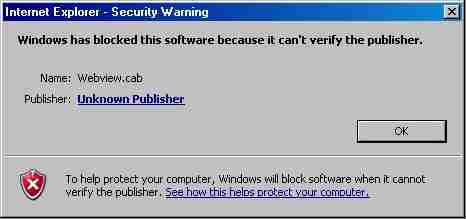
If you see this error message:
You need:
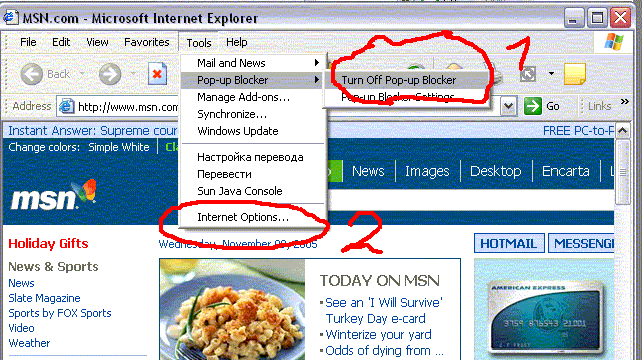
1. Turn of Pop-up Blocker (only if you use DICO web view)
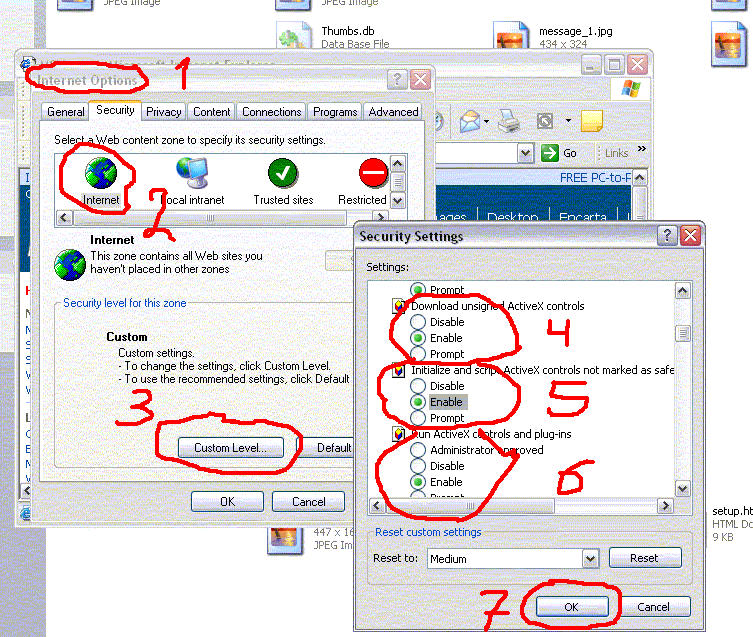
2.Change settings for ActiveX Controls like this:
And try to enter this site again or click refresh button.
If it is NOT help - click here to download setup.exe file (for Witness Systems Only!)
1. If you see this message: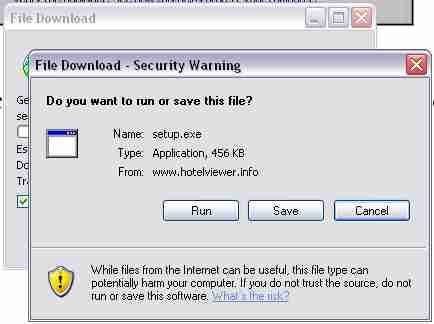
Click "Run"
2. If you see this message:
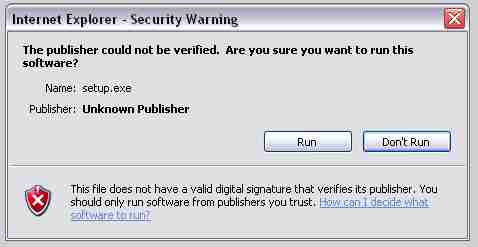
Click "Run"
3. If you see this message:
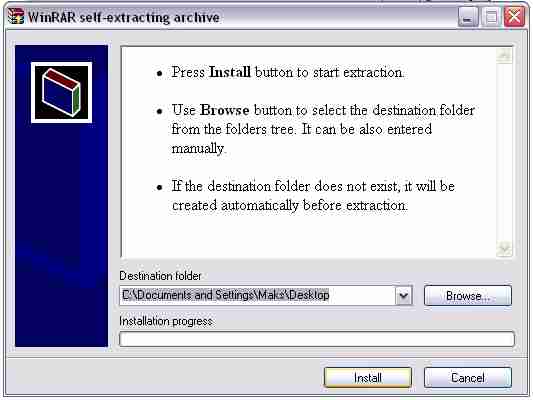
Click "Install"
4. If you see this message:
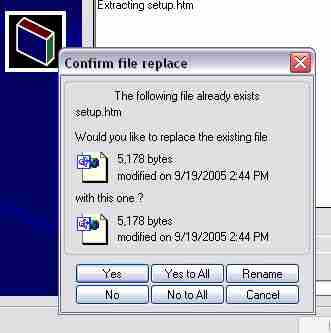
Click "Yes to
All"
5. After following instructions on screen.